
A useful study session ends with a clearer understanding of the passage and a question worth carrying forward. Here is a simple routine you can try in FlickerFaith.
1. Begin with the Bible
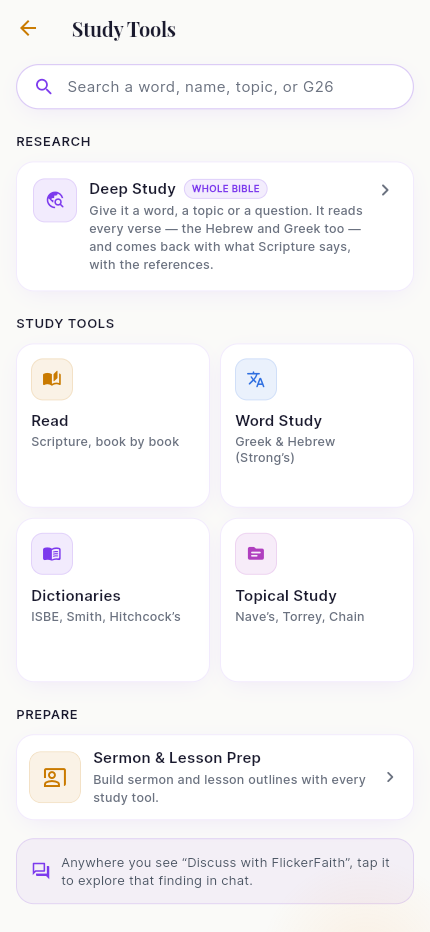
Open the Bible reader and choose John 3. Read the conversation with Nicodemus before isolating verse 16. Note what you understand and what you want to explore. The reader and study tools are accessible from the app’s navigation; exact labels can vary with language and release.
2. Ask a focused question
“Help me understand John 3:16 in context. Explain how it connects to the conversation with Nicodemus. Cite the verses you use, and label your suggested application separately.”
A specific passage gives the conversation a center. Ask follow-up questions about unfamiliar words or connections. Do not ask the assistant to decide what God privately intends for your future.
3. Open the references
Read each cited passage and check the translation. Where a quotation matters, compare its actual wording. Use a commentary, cross-reference or original-language tool to investigate a question; the presence of scholarly tools does not make every generated explanation correct. See what our citation checks measure.
4. Keep a small record
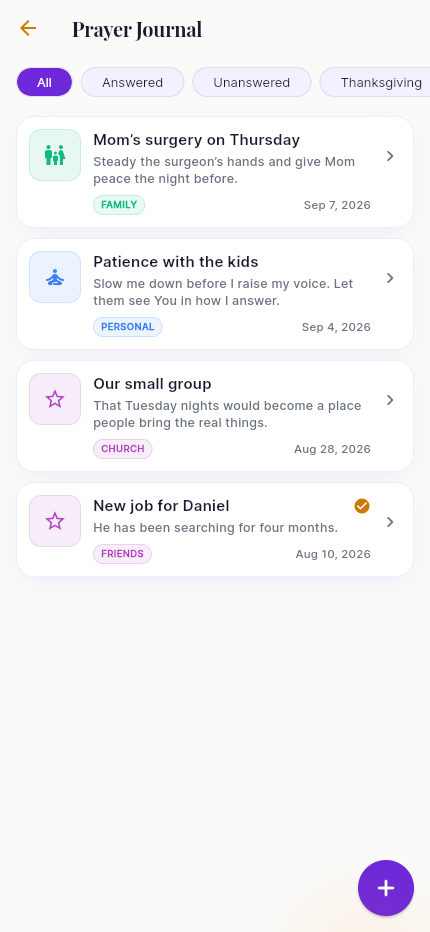
Write one observation, one unresolved question and one prayer. The prayer journal lets you return to requests and record answers. You can also use the free website prayer-journal template without installing anything. A reading plan can provide the next passage when you return.
5. Bring a question to a person
For adult users, the person icon in chat opens Connect with a Verified Minister. Send the question you want to discuss. The minister service is asynchronous and depends on availability; do not assume someone is online or that a reply will arrive immediately. Review the service and privacy details before sharing sensitive information.
This is an instructional walkthrough, not a recording of a customer session. We do not publish private conversations as product demonstrations. For complete synthetic answer examples, visit the test evidence page.
Start with what is included
FlickerFaith offers a free tier and optional Premium. Check current allowances and paid features; the offer on your device controls local price and subscription terms. You can use the web app or download the iPhone or Android app below.
Continue your study in FlickerFaith
Start with the free tier. Review Premium features and subscription terms on your device.